
You connect to a VPN server in Amsterdam, open a site — and it still greets you with a suspiciously accurate "good evening" and shows prices in your home currency. The tunnel is fine. Your clock gave you away. We ran into this often enough to build a tool for it.
The problem
You connect to a VPN in Amsterdam, and the site says “good evening” and shows prices in your currency. The tunnel is fine — your clock gave you away: Intl.DateTimeFormat().resolvedOptions().timeZone returns the system zone.
What we did
Built a Manifest V3 extension and a Safari companion that patch Date and Intl in the page context, iframes included. 400+ IANA zones and 33,000 cities; automatic zone detection from the exit IP.
What came out
IP, clock and locale tell one story. Connect the VPN — the clock moves with it; disconnect — it comes back. Free, local, no analytics.
Why the timezone betrays your VPN
Any page can read your timezone with one line of JavaScript — Intl.DateTimeFormat().resolvedOptions().timeZone — no permissions, no GPS. The browser answers with the system timezone, not the timezone of your VPN exit. When your IP says Amsterdam and your clock says Asia/Dubai, that mismatch is exactly what anti-fraud systems, streaming services and fingerprinting scripts look for. The VPN moved your address, but not your shadow.
Timezone Spoofer: the browser clock in one click
Timezone Spoofer is our free extension that overrides everything JavaScript can learn about your clock — Date, Intl.DateTimeFormat, offsets, date strings — in every frame of the page, iframes included. Flip the toggle, pick a zone, and the page reloads already living in it.
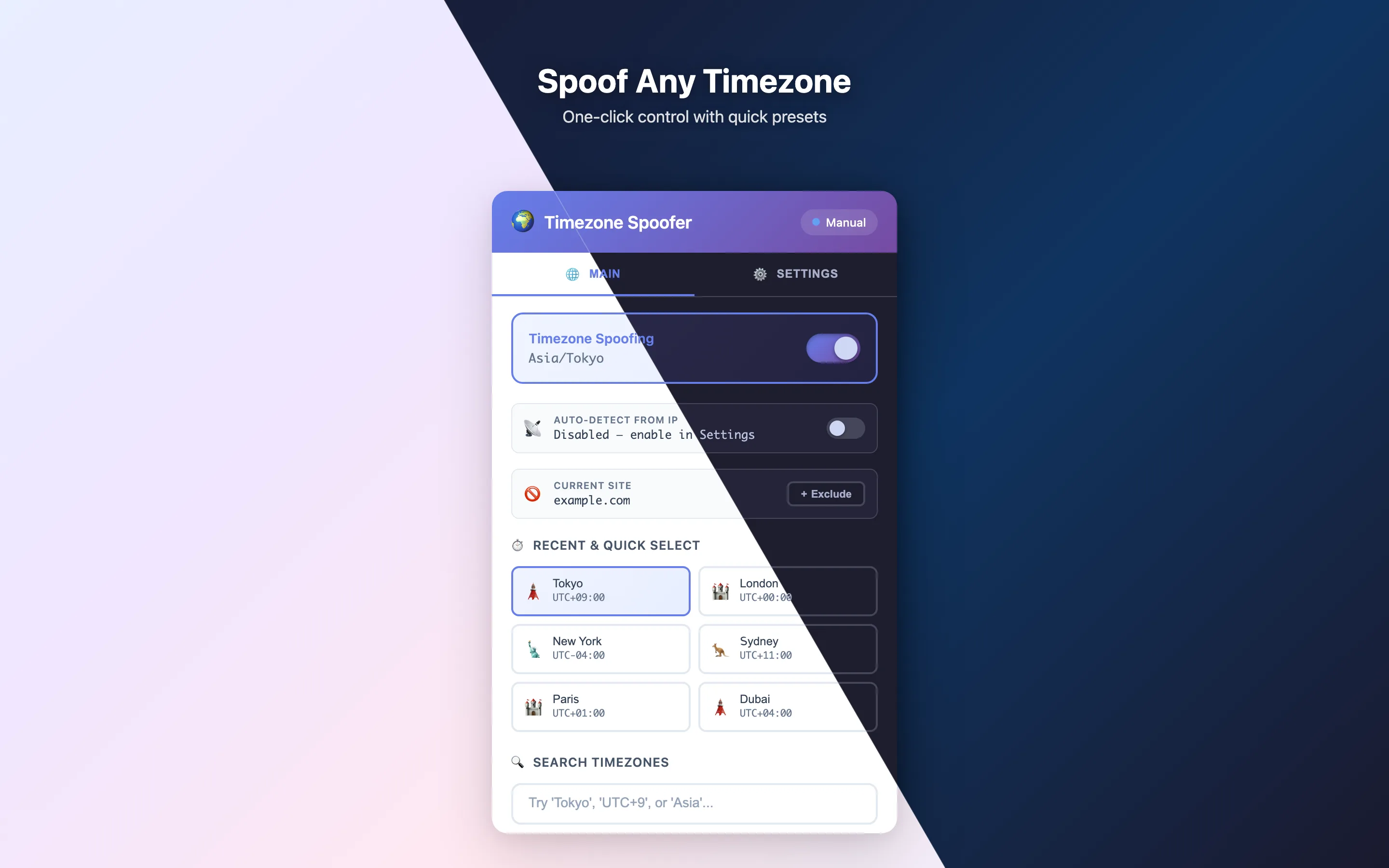
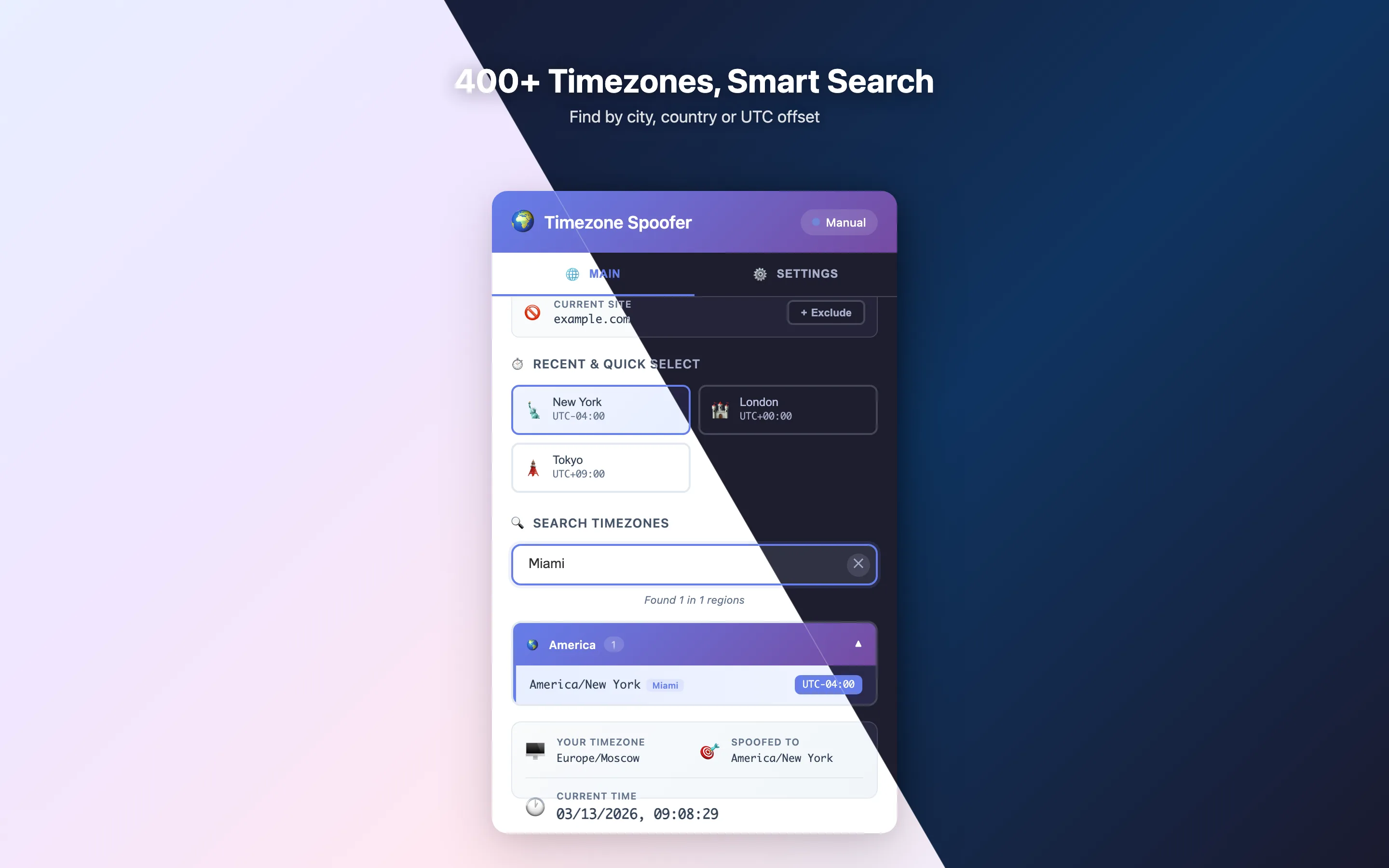
Inside the database are all 400+ IANA timezones with 33,000+ indexed city names. Search understands cities, countries, regions and offsets: type "Miami" and get America/New_York with its current UTC offset; type "UTC+5" and see every zone that matches right now. Recent picks stay one click away as presets.
Built for VPN use: auto-detect from IP
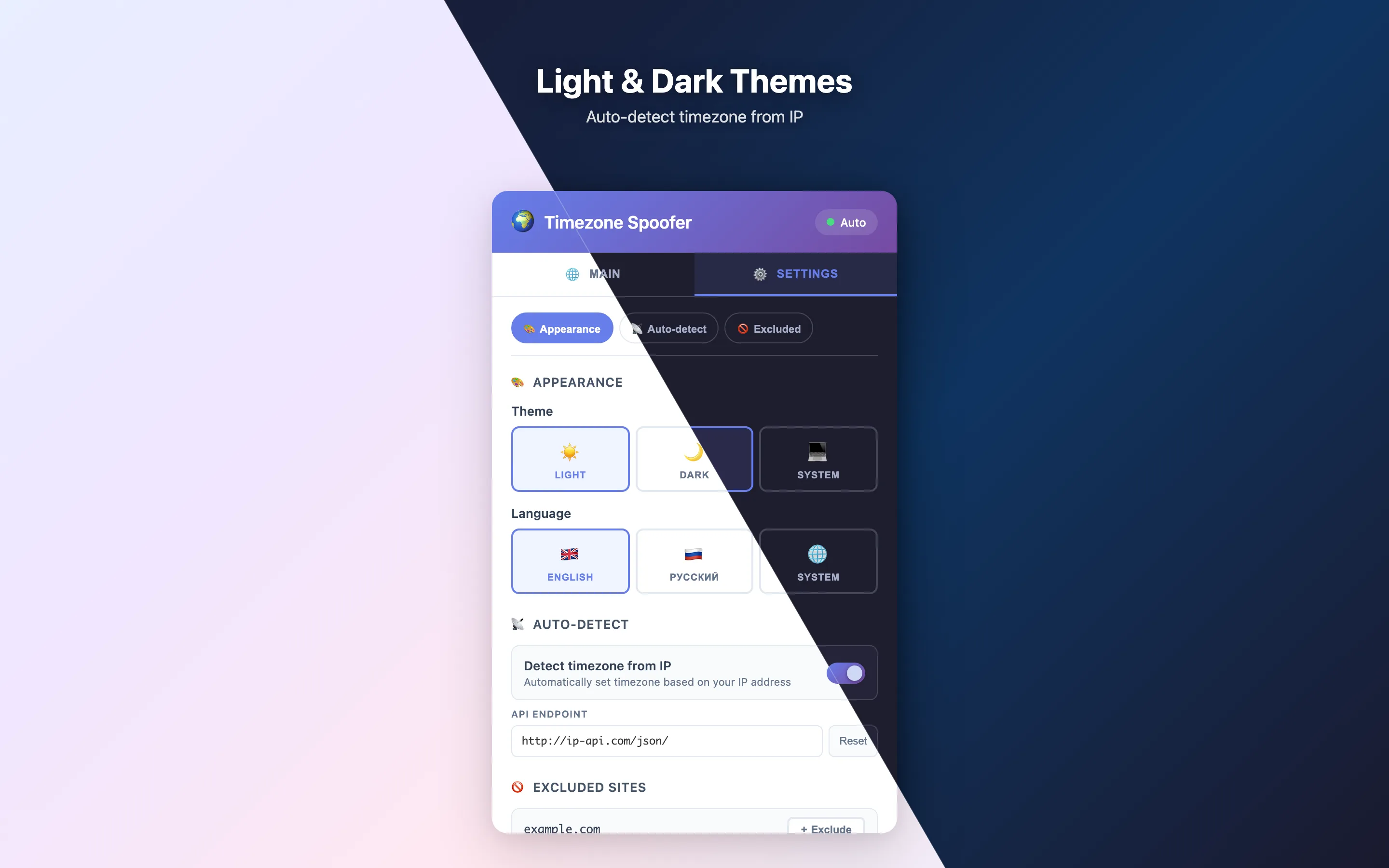
The feature that pairs with a VPN is auto-detect: the extension checks your current IP and sets the matching timezone automatically. Connect to a VPN exit in another country — the browser clock follows by itself, no manual picking. Turn the VPN off — the clock comes back. The detection endpoint is configurable and off by default.
For sites that must see your real time — a bank, a calendar — there is a per-site exclusion list, and a per-tab badge shows at a glance whether the current page is spoofed, excluded or untouched.
Privacy and price
Everything is stored locally in the browser: no accounts, no analytics, no tracking, nothing transmitted anywhere. The extension is free — no trial tiers, no locked features. English and Russian interface, light, dark and system themes.
It ships for both major engines:
- Chrome (and Chromium browsers): Chrome Web Store
- Safari on macOS and iOS: App Store
The full setup: VPN + matching clock
- Get a VPN key from @unlocknoname_bot in Telegram — the bot issues one with a free 24-hour trial, no email and no card, and the key works in the Noname VPN app (Google Play).
- Install Timezone Spoofer and enable auto-detect from IP in Settings.
- Connect the VPN. The extension reads the new IP and moves your browser clock to the exit's timezone.
IP, clock and locale now tell one story — and the "good evening" finally arrives in the right timezone.
Privacy is not one tool but the consistency of every signal your device gives about you. Timezone Spoofer closes one of the loudest — and we made it free, because a VPN without it works at half strength.Products in this article
The full setup in three steps
Noname VPN key from the bot → Timezone Spoofer with auto-detect → connect. Clock and address will match.
 Timezone leaks in security tests
A test account in 'Frankfurt' that still greets you with the home clock is a broken scenario — and a fingerprint. How authorized testers keep IP and timezone in the same story.
 VPN Chrome extension: what it protects and what it doesn't
A Chrome VPN extension is a proxy for browser traffic only. What it really protects, where it leaks, and when you need a full VPN app instead.
 How to choose a VPN in 2026: a no-nonsense checklist
Jurisdiction, logging, protocols, speed and honest pricing — what actually matters when you pick a VPN, and what is pure marketing.